Artisan Pro · web app · version 4.8

The office, in a browser tab.

Artisan Pro is where the office lives: the people answering the phone, booking the visits, ordering the parts and keeping the trucks moving. It runs in a browser, installs like an app, and keeps a copy of your data on the computer so a dropped connection never stops a booking.

  • Chrome, Edge or Firefox, on the office PC or a laptop in the truck
  • Keeps working offline, for up to a week
  • Customers, calendar, equipment, parts, calls, messages, users, reports
  • Admins, managers and technicians each see what their role allows
  • Your company's name and color throughout
  • The same data as the Artisan Field phone apps, synced every 20 seconds
Who it's for

The owner who answers the phone from the truck, the dispatcher with a dozen vans, and everyone in between. One person at a desk or a whole front office, each signed in as themselves.

Technicians use Artisan Field on their phones instead; they don't sign in here.

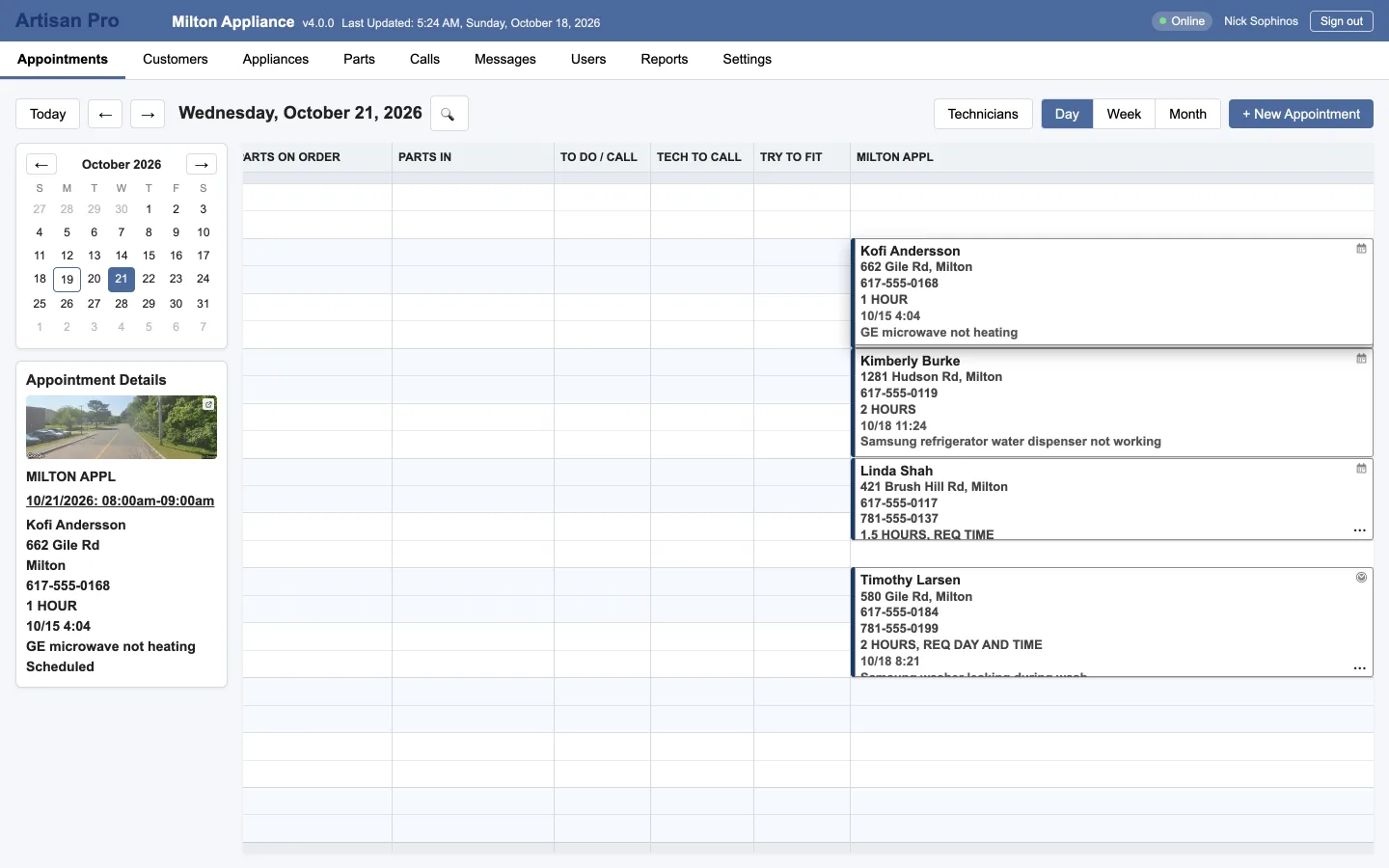
Artisan Pro's Appointments tab: today's day view with a column for each lane, color-coded visits with their status, the mini calendar, and the details panel showing a customer's address with a Street View photo.
Scheduling

A calendar built for short visits to the home

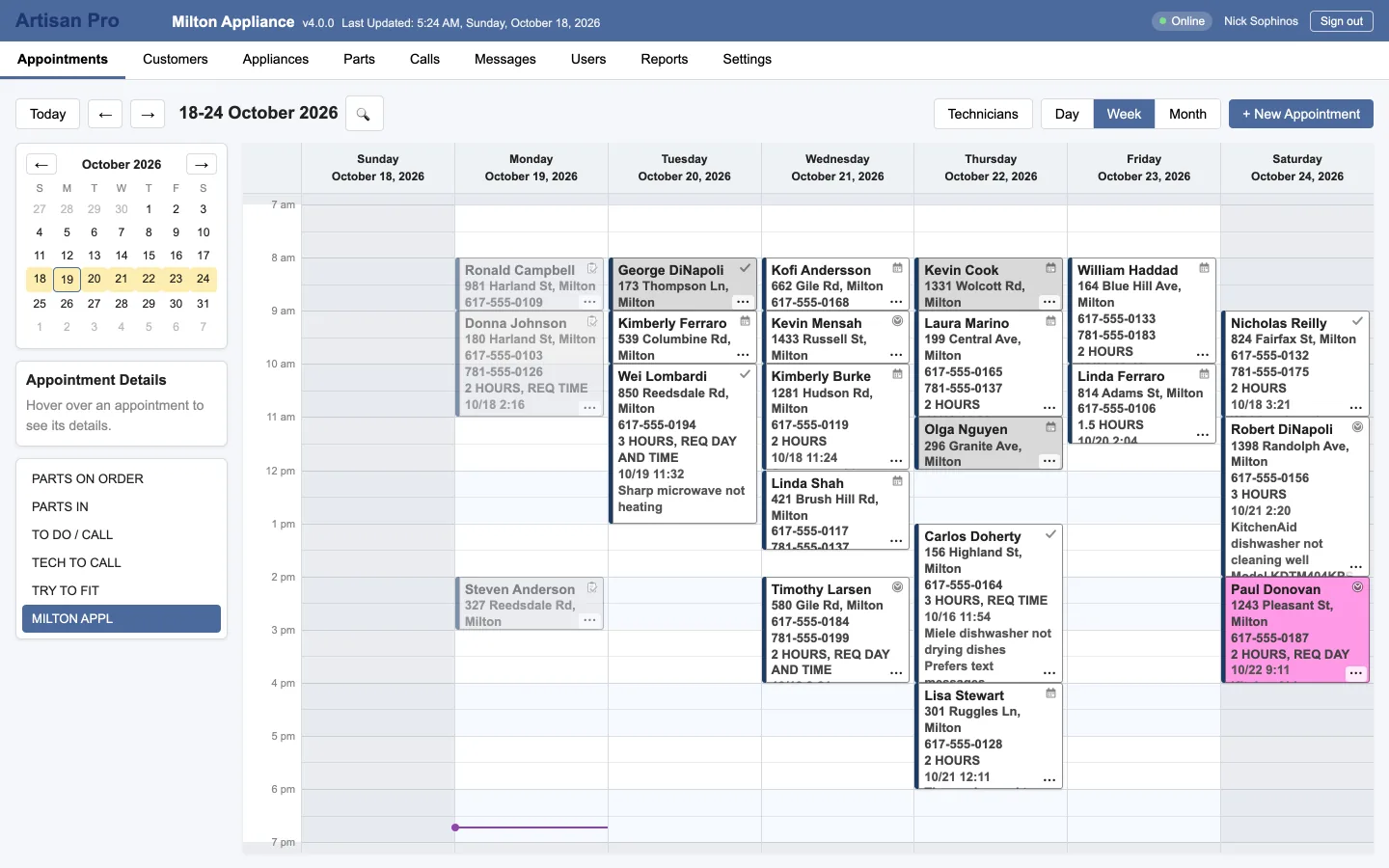
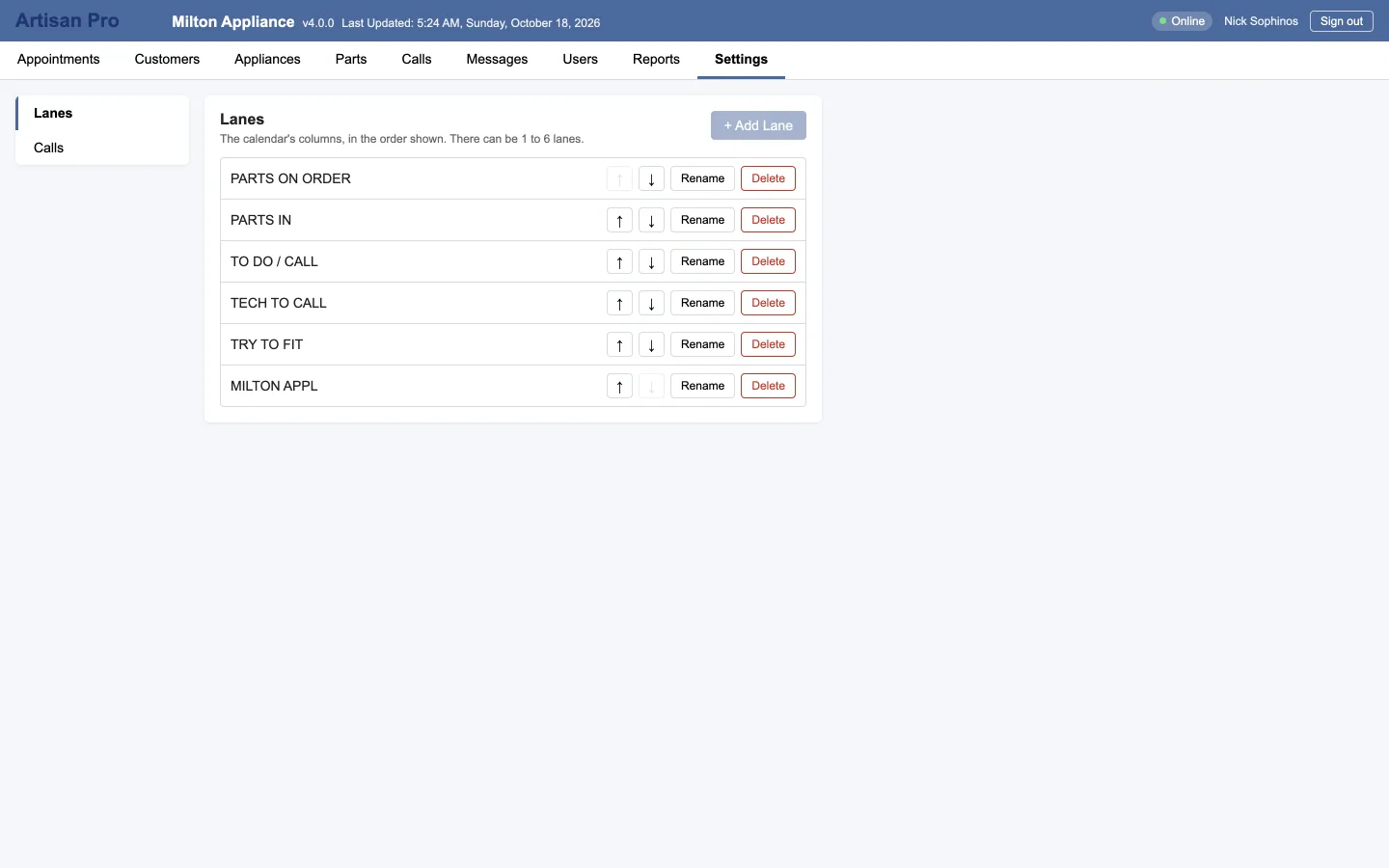
Each column is a lane: a technician, a crew or a route, with its own working hours. Drag a visit to move it, drag its edge to change the time, drag on empty space to book one. The right-click menu cuts, copies, moves a whole day, changes status or adds a note like "Full day".
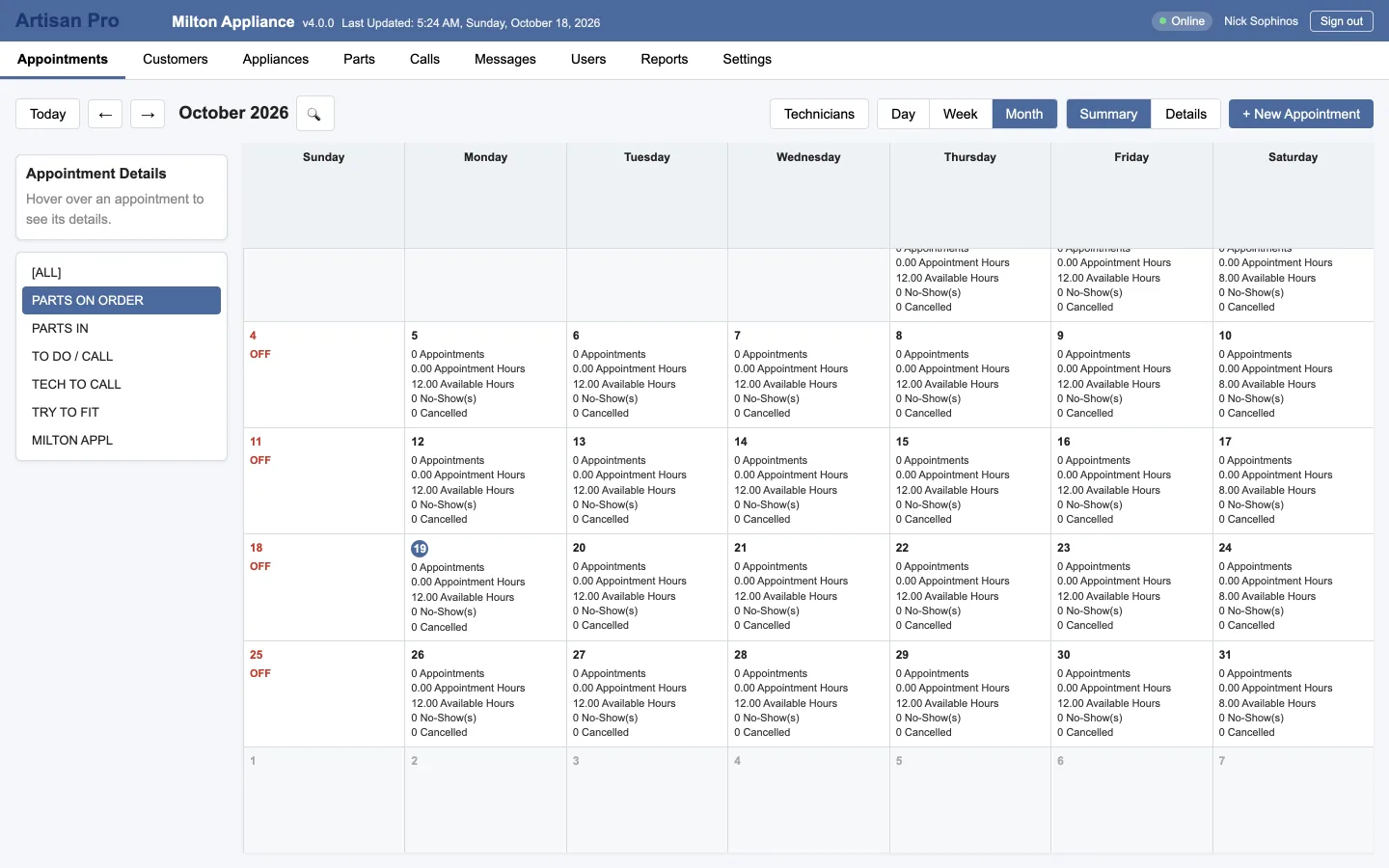
  • Day, week and month views; month has a summary and a details view
  • Services with their own colors, so the day reads at a glance
  • Statuses from Scheduled to Completed, Canceled and No-show
  • Undo, calendar notes, and search by date, time of day or text
  • Column widths you set stay set, per user
The month view's summary: how many visits each day, by lane.
Technicians today

Where everyone is, on one map

When a technician taps "Start my day" in Artisan Field, the office sees them on a map with the route they've driven and the day's visits pinned. The map's there until they tap "End my day", or until the evening, whichever comes first.
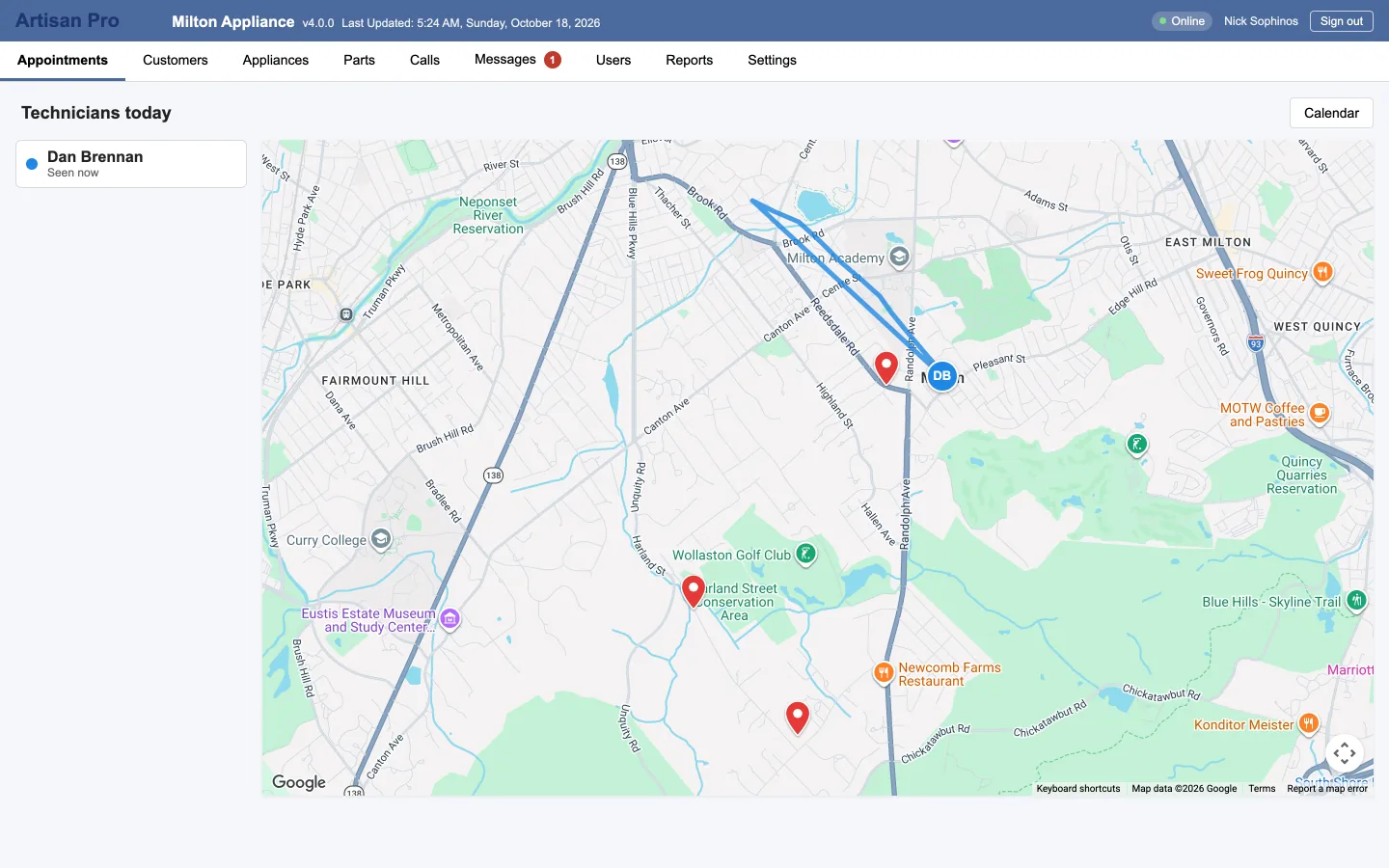
  • Live positions and today's route for each technician
  • Click a visit's pin to open the appointment
  • Nothing to install at the office; it's a button on the Appointments tab
The Technicians today map: a technician's position and the route they've driven, with today's visits pinned, and a list of technicians on the left.
The appointment

Everything about the visit, on one form

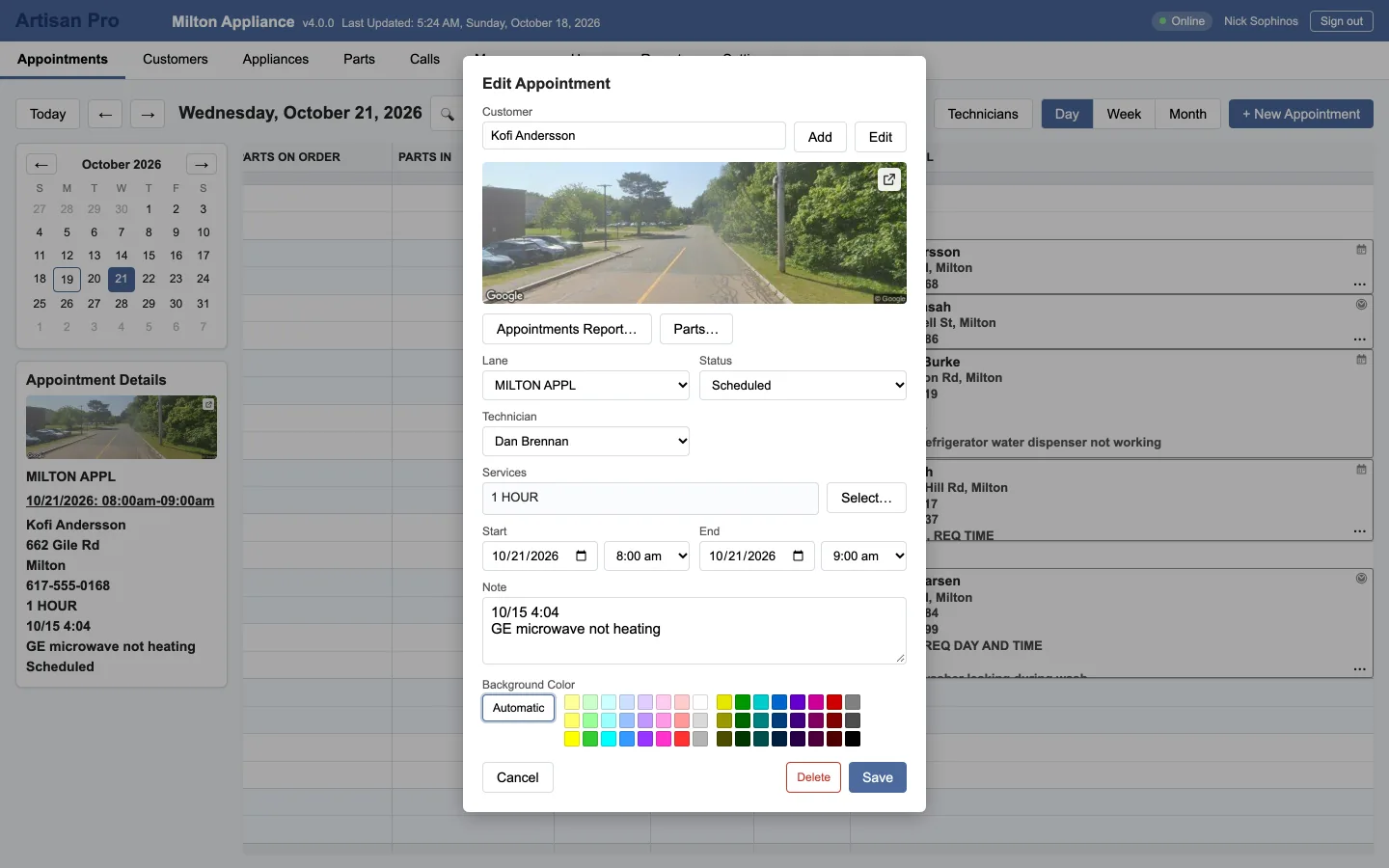
The customer, the lane, the time, the technician, the services and a note. A photo of the front of the house from the street, so the technician knows what they're looking for. And the parts on order for this visit, as a Special Order slip with supplier, PO, deposit and balance due.
  • Street View photo of the address
  • Part orders attached to the visit, each item with its own received date
  • A deleted visit can be brought back for 30 days
The appointment form: customer, lane, date and time, technician, services, status, note, and the Street View photo of the address.
The schedule the office sees is the schedule the truck sees.
Customers

The whole customer, before you say hello

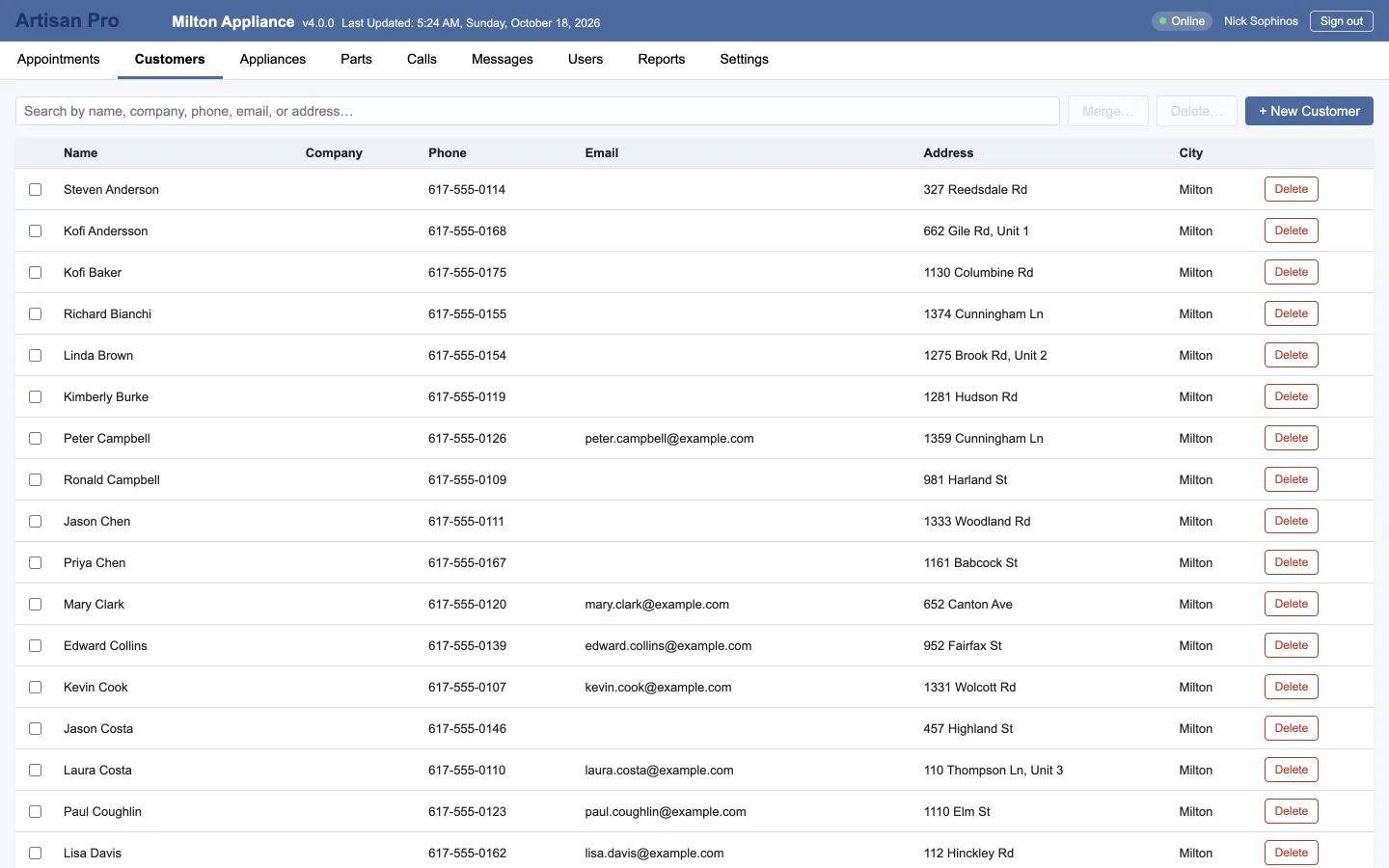
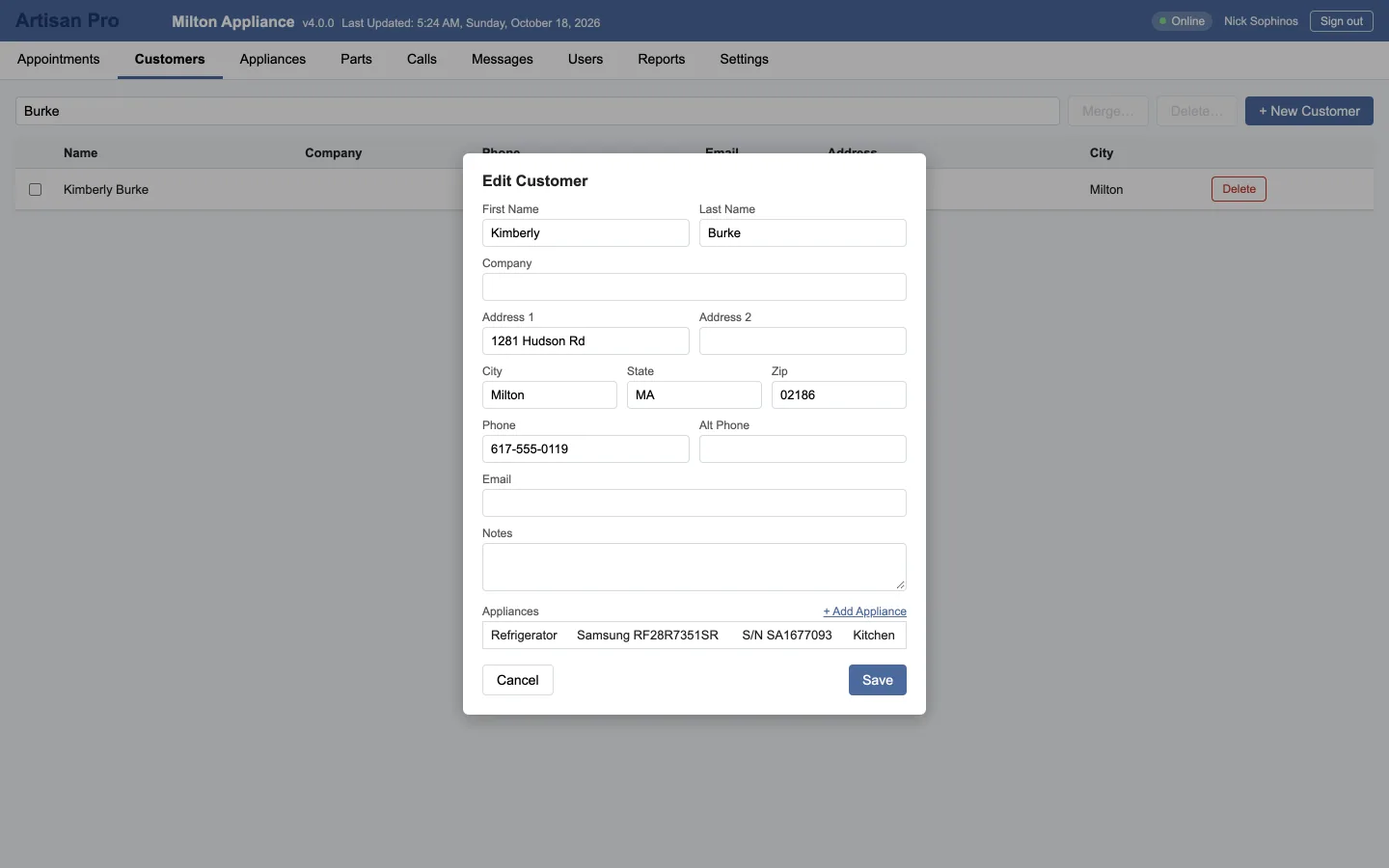
Type part of a name, a phone number, an email or an address. Exact matches first, close matches under them. The record has contact details, a photo of the home, every past and upcoming visit, the equipment in the house and everything on order for them.
  • Search as you type; the list loads more as you scroll
  • Tick several to delete at once; merge two that are the same person
  • Companies, notes like "Dog in yard" or "Call before arriving"
A customer's record: name, address, phones and email, their notes, and the Appliances table with each unit's model and serial.
Equipment and parts

What's in the house, and what's on order for it

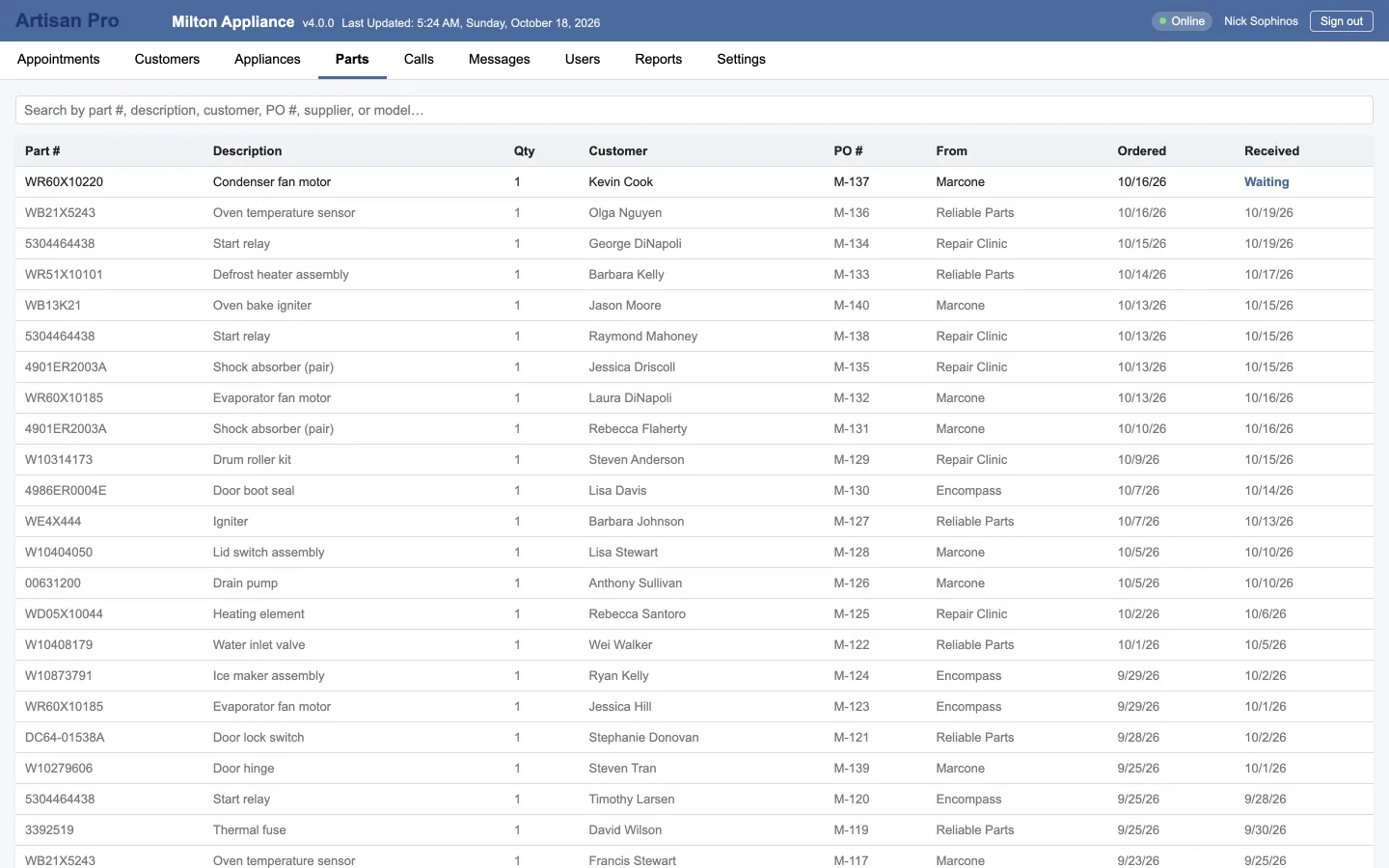
Every unit you've touched, by make, model and serial, with where it is in the home and its purchase and warranty dates. The parts ordered for it build its repair history. The Parts tab lists every part on every order, so "did that valve come in?" is one search.

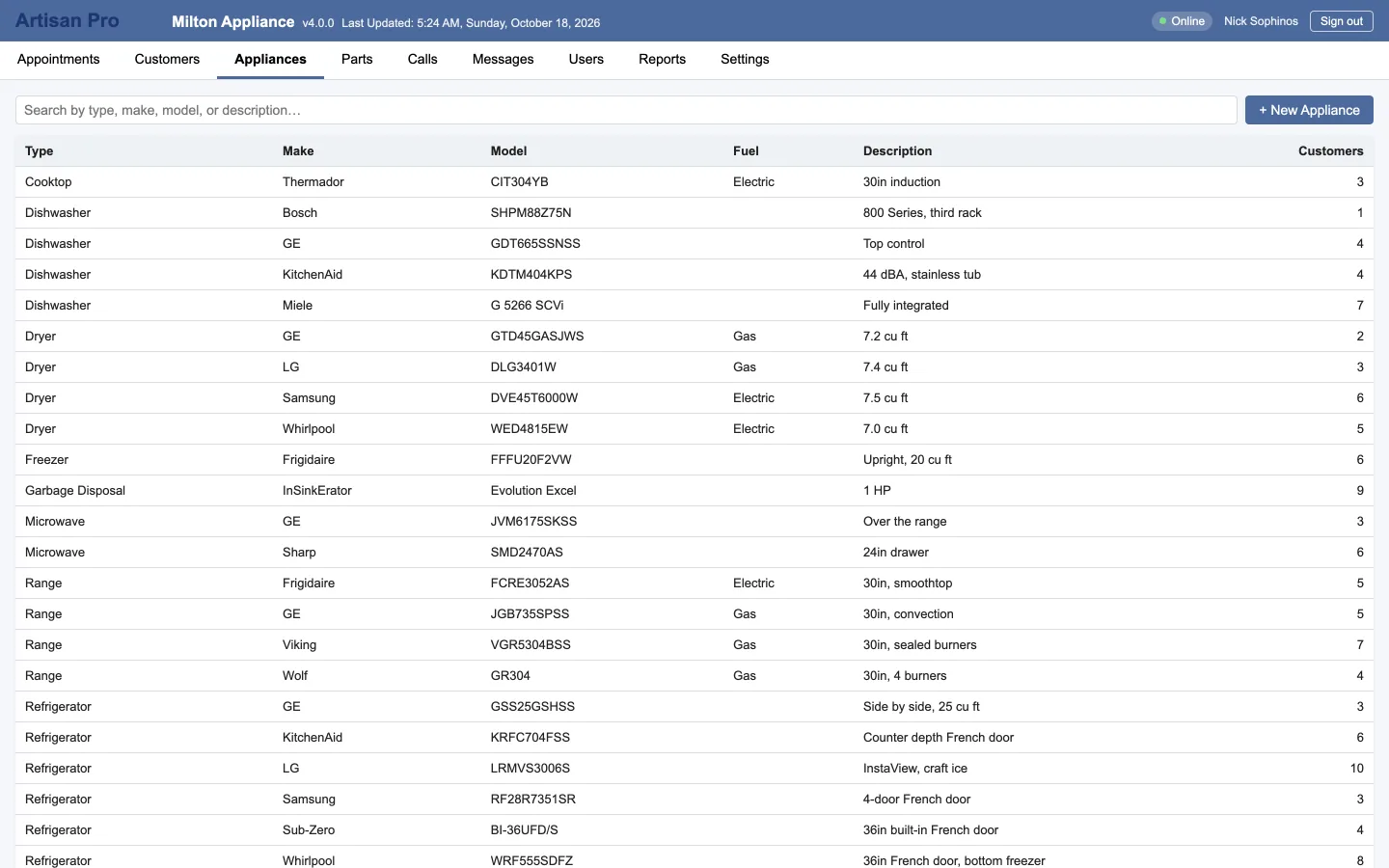
  • A catalog of models, and how many customers own each
  • Special Order slips with supplier, PO and invoice numbers, deposit and balance
  • Rating plates photographed in the field fill in make, model and serial
The equipment catalog: type, make, model, fuel and the number of customers with each.
Incoming calls

The caller's record, open before you pick up

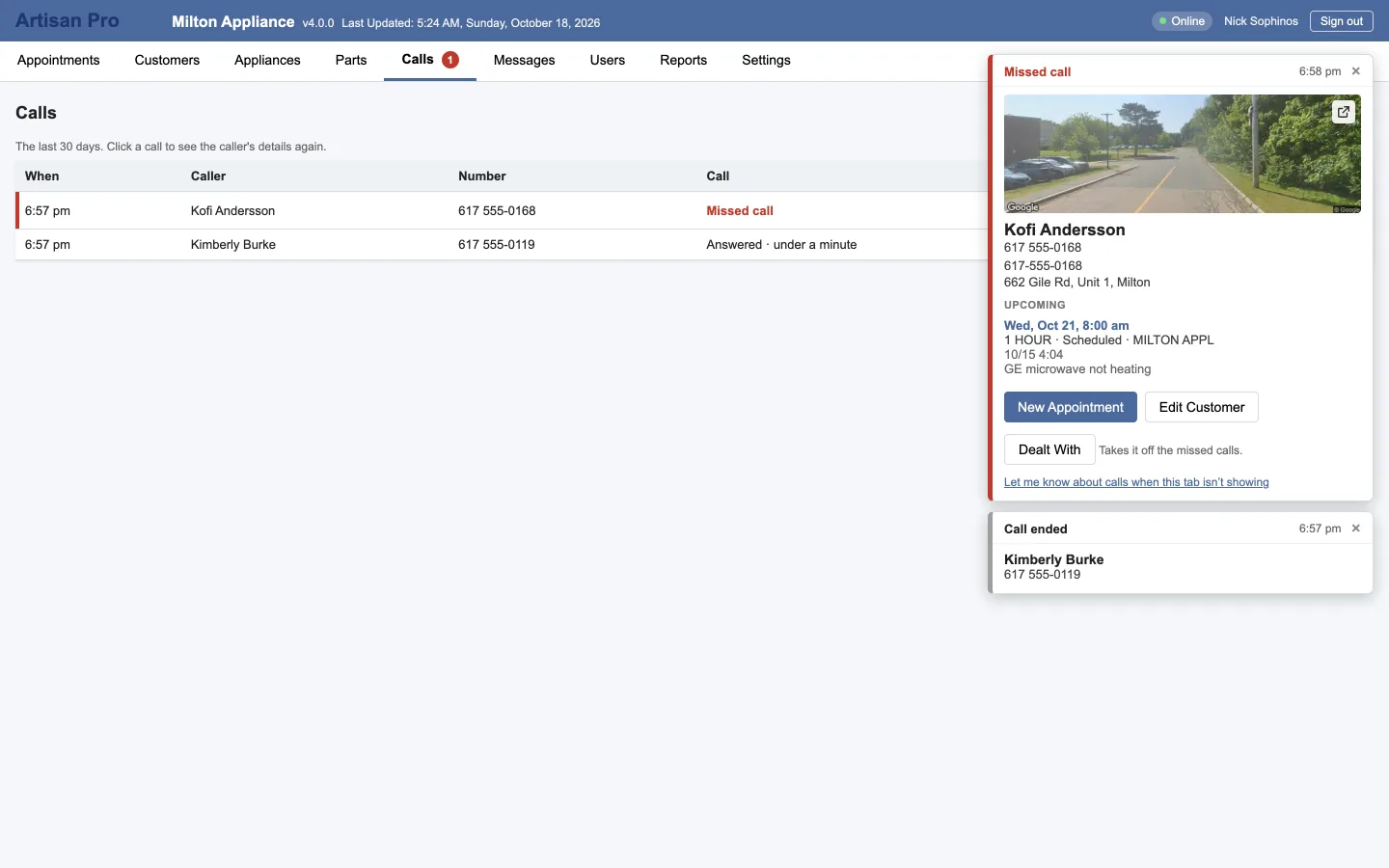
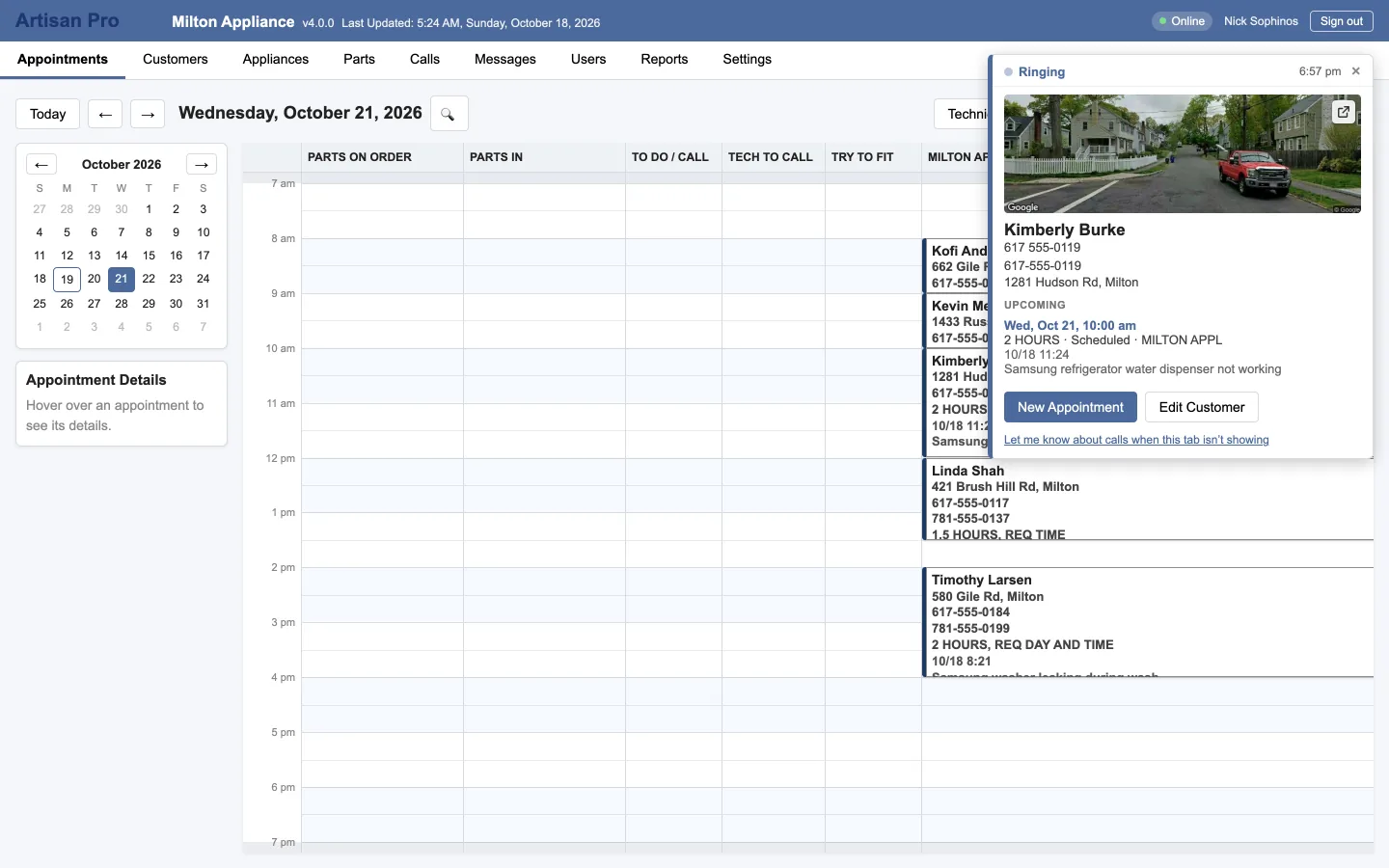
With Artisan Calls on the company phone, every incoming call pops a card in every signed-in browser within about a second: who it is, their notes, their next and last visits and any open part orders. Book an appointment, edit the customer, or make a new one from an unknown number, from the card.
  • A desktop notification when the tab is in the background
  • The Calls tab keeps 30 days, with a "Missed, not dealt with" filter and a badge
  • The same calls in the Field app's Calls tab
An incoming-call card over the day calendar: the caller's name and number, their equipment, last and next visits, open orders, and the New Appointment and Edit Customer buttons.
Messages

The office and the field, on the same page

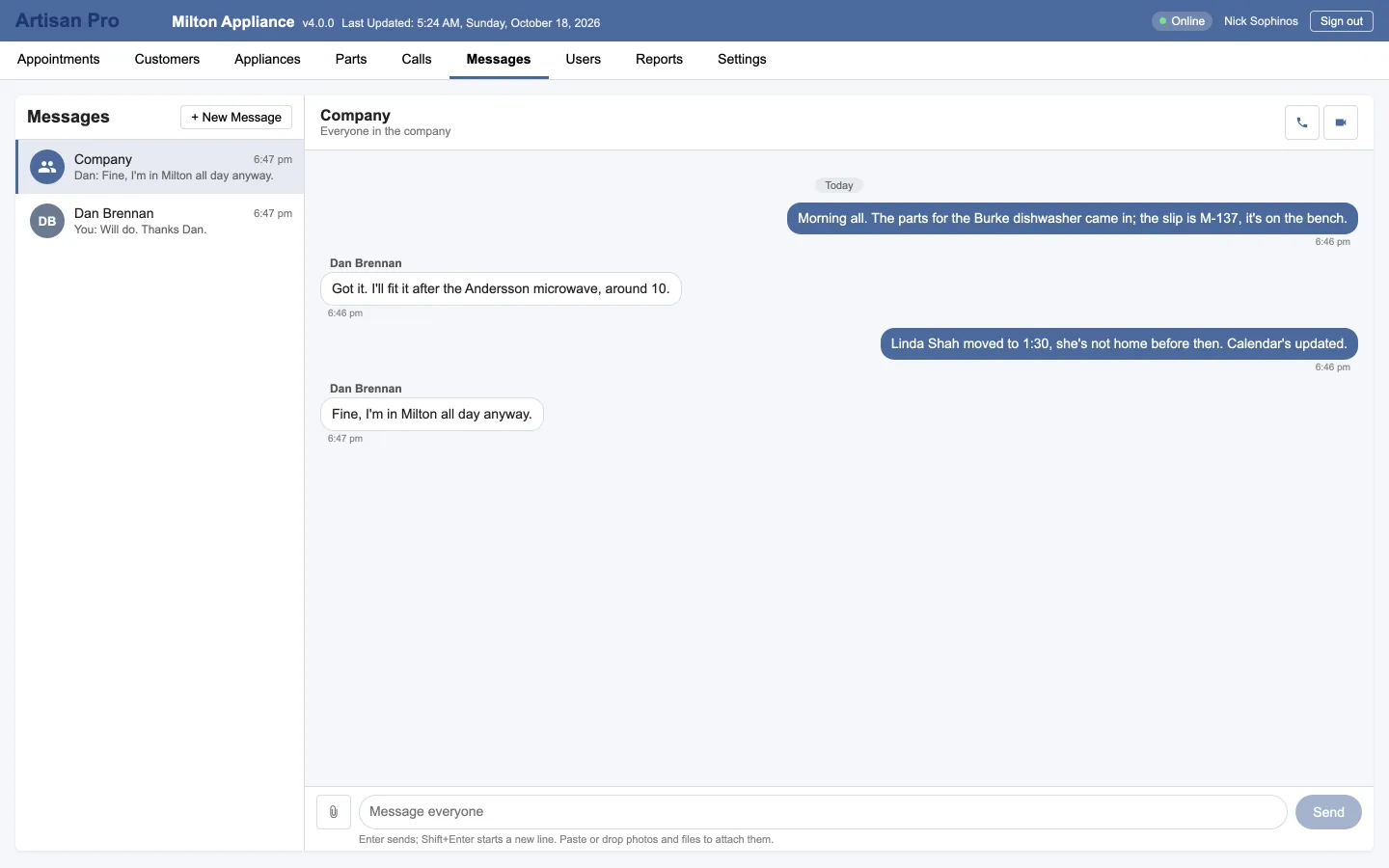
A company conversation everyone is in, and direct messages between any two people. Paste or drop in photos, videos and files. Unread badges on the tab. And when typing isn't enough, a voice or video call to anyone in the company, inside the app, so a technician can show the office what they're looking at.

  • No personal phone numbers needed
  • Company calls everyone can join
  • The same conversations in Artisan Field
Messages: the Company conversation, the office and the technician sorting out the day's parts, with the direct threads listed on the left.
Reports

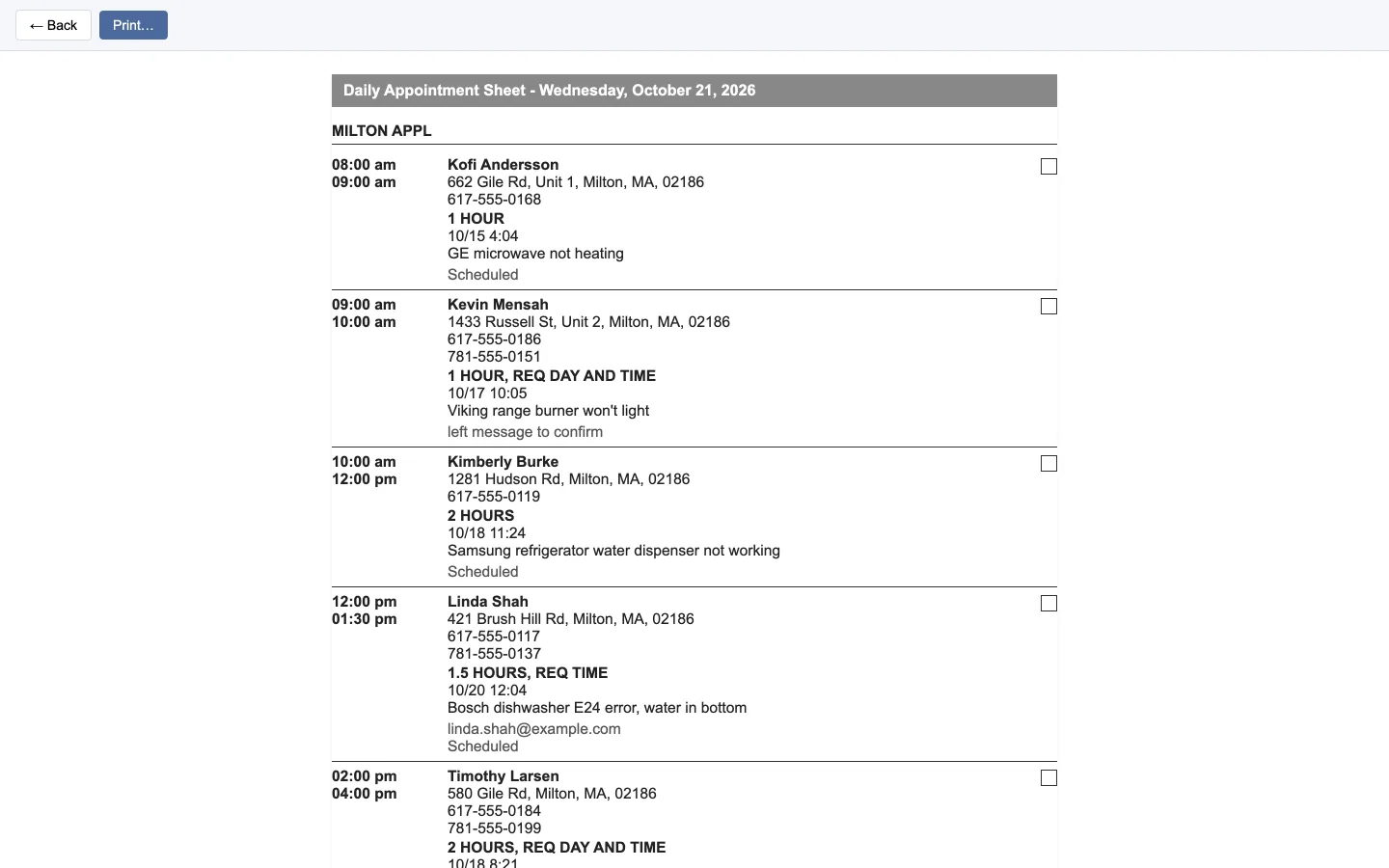
Nine reports, each one a page you can print

Pick the dates and the lanes, see the preview, print it or keep it on screen.

  • Daily Appointment SheetOne page per technician
  • Appointments by LaneAny date range
  • Appointments by CustomerTheir whole history
  • Appointments by DateChronological
  • Lane ProductivityHours booked per lane
  • Services SummaryWhat you did, how often
  • Waiting ListWho's hoping for a slot
  • Customer CalendarsVisits by customer
  • Customer ListEveryone, for mailings
The Daily Appointment Sheet: the day's visits for one lane, with times, customers, addresses, phones and notes, laid out to print.

Built for a shop, not a data center

The things that only matter when they go wrong, done right.

OnlineSyncing…Offline · 3 waiting

Works offline

Signing in copies the working set to the computer: 90 days of appointments back plus everything ahead, every customer and every part order. Changes made offline wait and go up when the connection returns. Syncs every 20 seconds, works offline for up to 7 days, and installs as an app so it opens with no connection at all.

AdminManagerTechnician

Users and roles

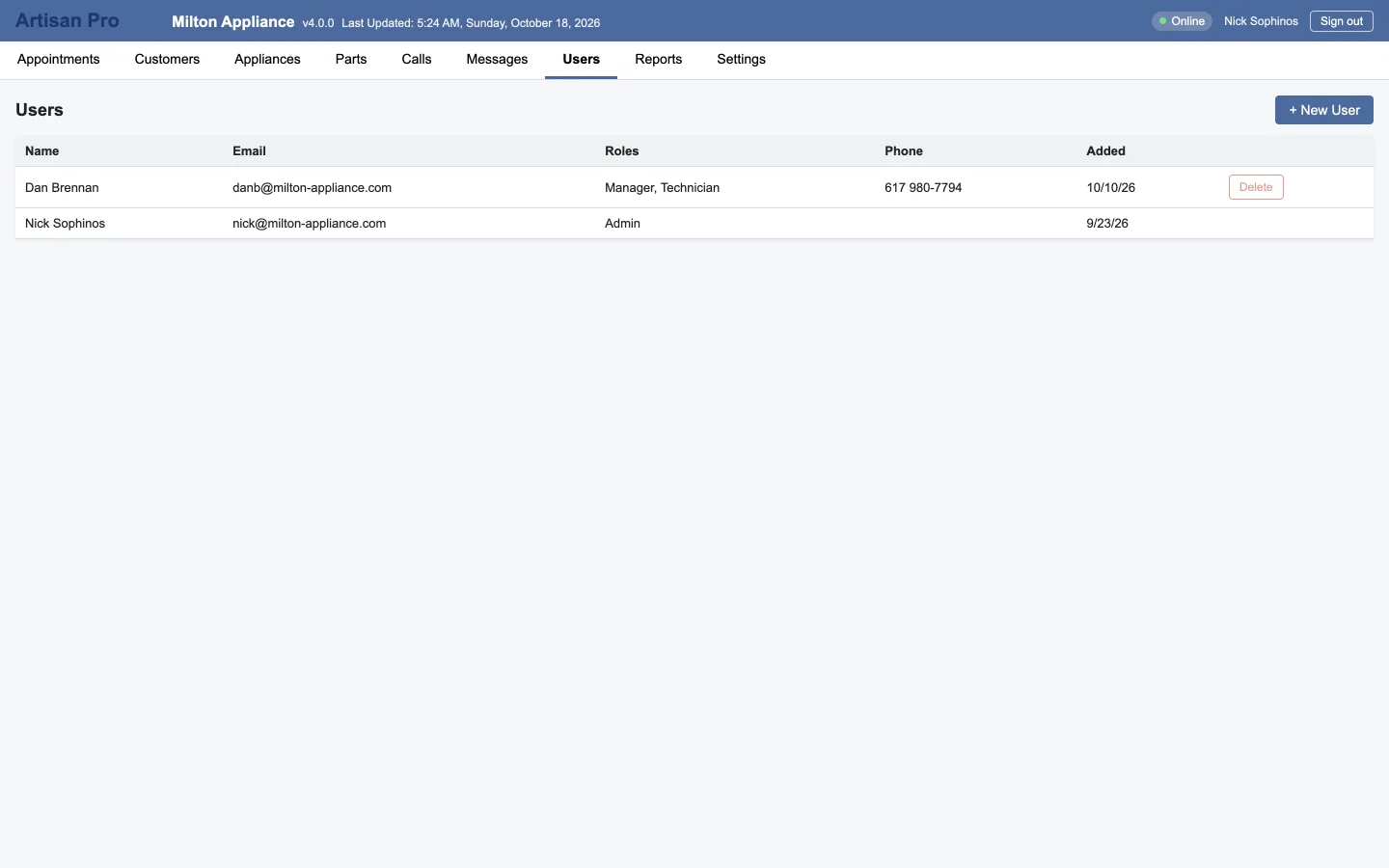
Add someone on the Users tab and they get an email to set their password. Admins manage everyone; managers manage technicians; technicians use the phone app and see their day, their messages, parts and equipment. A person can be more than one: the owner who's also on the road.

Your nameYour color

Your company's look

The header carries your company's name and your brand color, in the browser and in the phone apps. Sign in once at artisanprosoftware.com; each company's data lives in its own database, and nobody outside your company can see it.

See it with your own customers

We'll bring over your existing customer list and set the lanes up the way your shop runs, then walk you through a day.