Artisan Calls · Android 10 and later · the company line

Your business number tells the office who's calling.

Artisan Calls is a small app for one phone: the Android phone that holds your company's number. It doesn't answer, record or forward anything. When the phone rings, it tells Artisan Pro the number, and Artisan Pro does the rest: the caller's record opens on every office screen and in the Artisan Field app, before anyone has said hello.

  • Keeps the number on your van and your invoices; nothing changes for the caller
  • Android 10 or later; the phone can be a plain prepaid handset
  • Works when the app isn't open, and after the phone restarts
  • If the connection drops, it keeps trying for a day, so no call is lost
  • Ringing, answered and ended are each recorded, so missed calls stand out
  • Installed by us, not from Google Play
Why not Google Play

Google Play doesn't allow apps that watch the phone's calls unless they're the phone's dialer, so Artisan Calls can't be listed there. We install it on your company phone with you, and it only ever reports the numbers that call that phone to your own Artisan Pro.

How it works

Three screens, about one second apart.
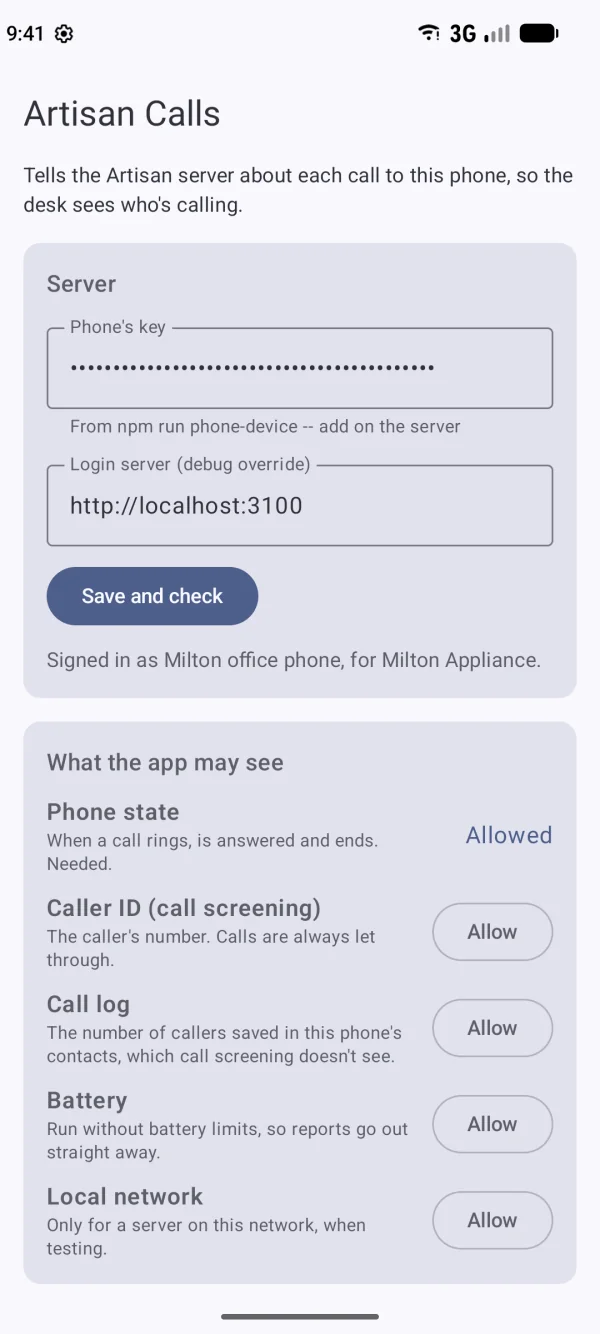
The Artisan Calls app: signed in as the company phone, with its permissions allowed.
The company phone
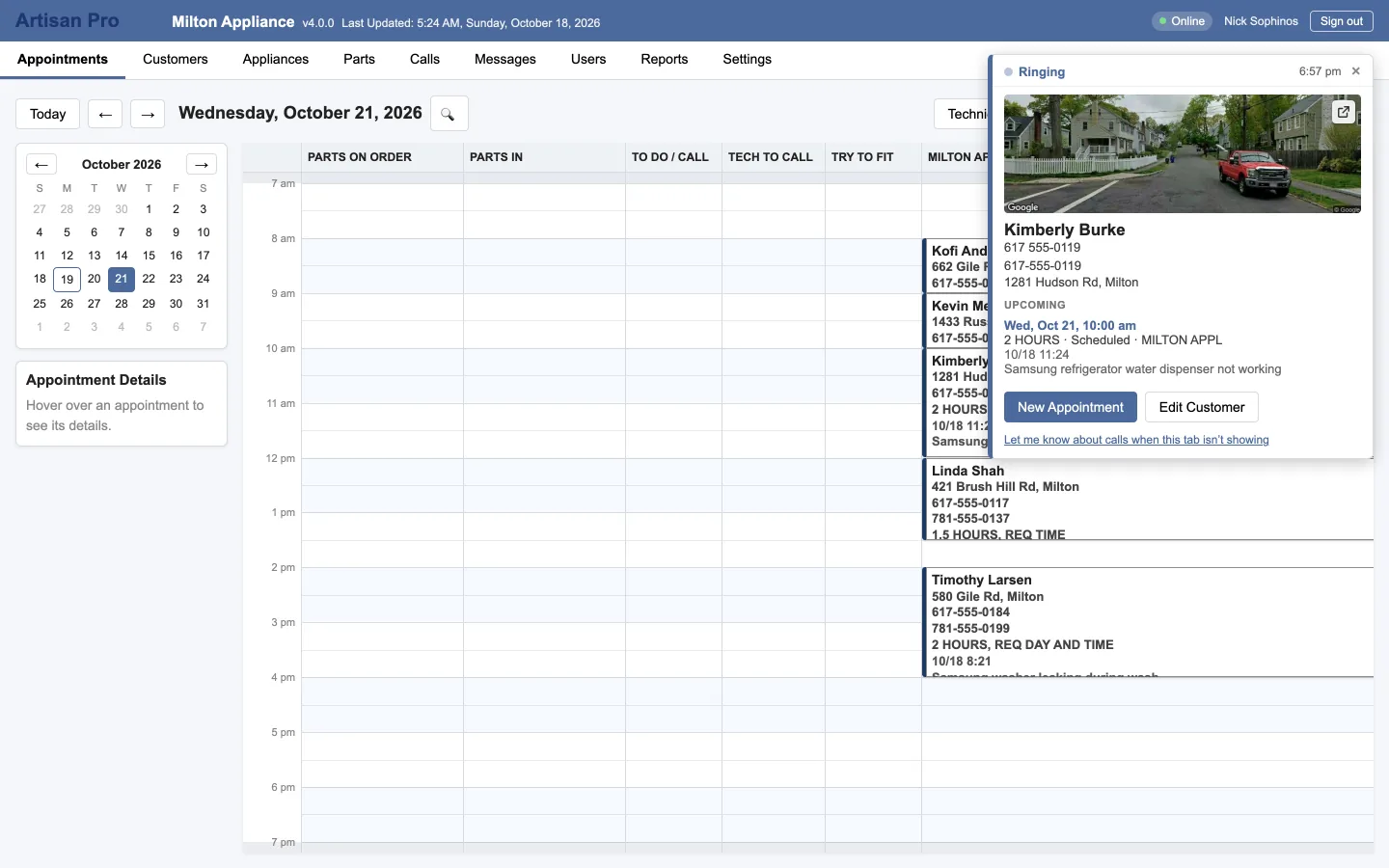
Artisan Pro in the office: the incoming-call card over the calendar with the caller's record.
Every office screen
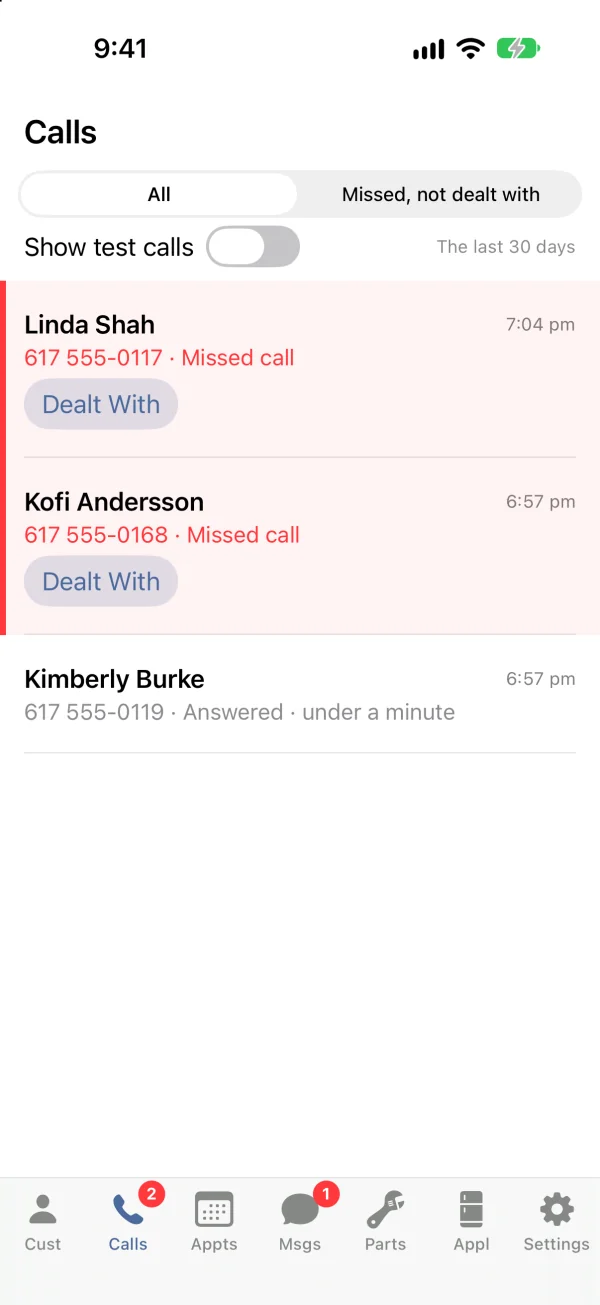
Artisan Field on an iPhone: the Calls tab, with the call that just came in at the top.
The Field app
  1. The company phone rings. Artisan Calls sees the number and sends it to your Artisan Pro, with "ringing".
  2. Artisan Pro matches the number to a customer, their open part orders and their visits. An unknown number gets a card too.
  3. The card appears in every signed-in browser and in the Field app's Calls tab, with New Appointment, Edit Customer and New Customer buttons.
  4. When the call is answered or ends, that's recorded. A call nobody answered waits in the Calls tab until someone marks it dealt with.
On the phone

One screen, and you rarely look at it

The app's own screen is for setting up: which company it belongs to, which permissions the phone has granted, and a list of the reports it has sent recently, so you can see it working. After that it runs in the background and stays out of the way.
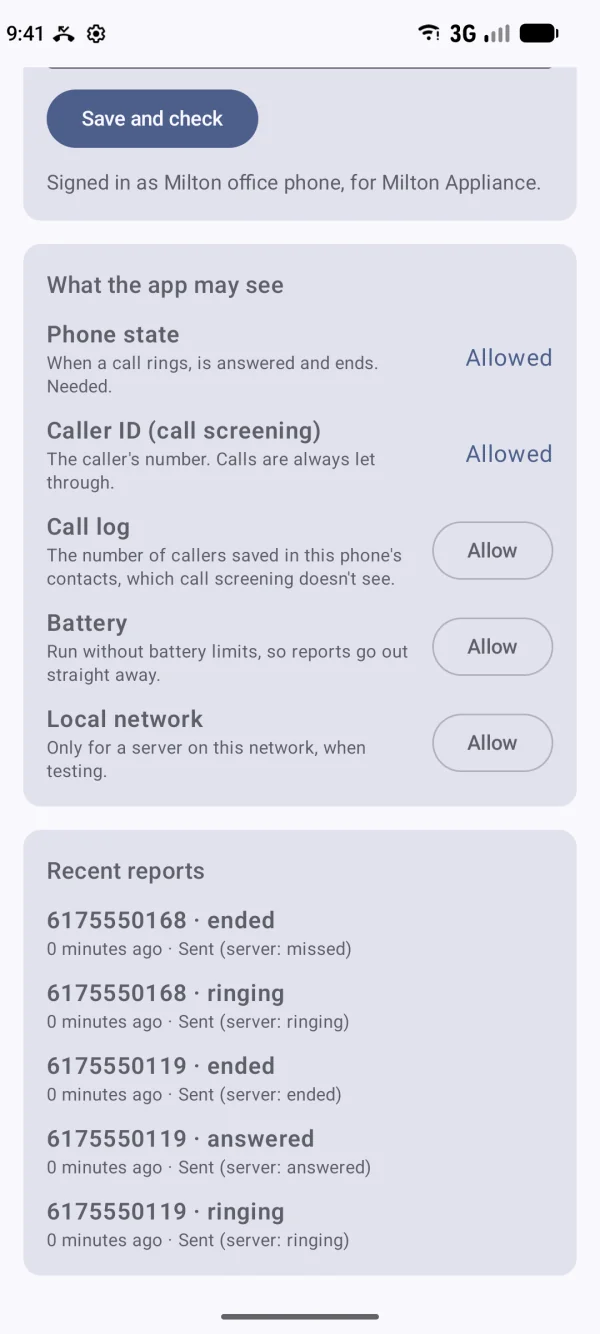
  • A checklist of the permissions the phone needs, each with its button
  • "Recent reports": each call's ringing, answered and ended, with the time
  • Reports that couldn't be sent are kept and retried for a day
Artisan Calls, set up: signed in as the company phone, with the phone-state and caller-ID permissions allowed.
Artisan Calls after a few calls: each call's ringing, answered and ended in the recent reports list.

Made to be forgotten about

Runs without being open

The phone tells the app about calls even when nobody has opened it in weeks, and after the phone restarts. It's a phone on a charger in the office, or in the owner's pocket.

Keeps trying

No signal in the basement, or the office internet is down? Each report is kept on the phone and sent as soon as it can be, for up to a day. The call still shows in the Calls tab.

Missed calls don't disappear

A call nobody answered is a job you might lose. It sits in the Calls tab under "Missed, not dealt with", with a badge, until someone calls back and marks it done.

Artisan Calls reports incoming calls on one line. Calls you make from the phone, and call waiting, aren't reported.

Answer by name, with their last visit in front of you.
Setting it up

About twenty minutes, once

You need an Android phone with your business number on it. If your number is on a landline today, your carrier can usually move or forward it to a mobile line.

  1. We make a key for the phone in your Artisan Pro, so it can only report to your company.
  2. We send the app file and stay on a call while the phone installs it. Android asks once whether to allow the install.
  3. You paste in the key, and the app confirms which company it's signed in to.
  4. Allow each permission on the app's checklist: phone state, caller ID, and letting it run in the background.
  5. Test call. Ring the number from your own phone and watch the card open in the office.

See a call pop on your own screen

On a demo we'll ring a company phone and you'll watch the record open. Bring your customer list and it'll be your customers.